Building a self-service robotics dashboard builder from scratch with ECharts and ClickHouse
Robotics companies collect terabytes of telemetry — battery curves, motor currents, joint temperatures, localization drift, and task completion rates — across hundreds of machines. Early on at Formant, if a customer wanted an aggregate fleet view rather than a single-robot timeline, someone had to build it by hand.
I designed and built Formant’s self-service analytics dashboard builder end-to-end on my own: the NestJS backend entities and controllers, the ClickHouse query engine and row-level security layer, the automatic SQL column-inference pipeline, and the React + ECharts draggable module frontend.
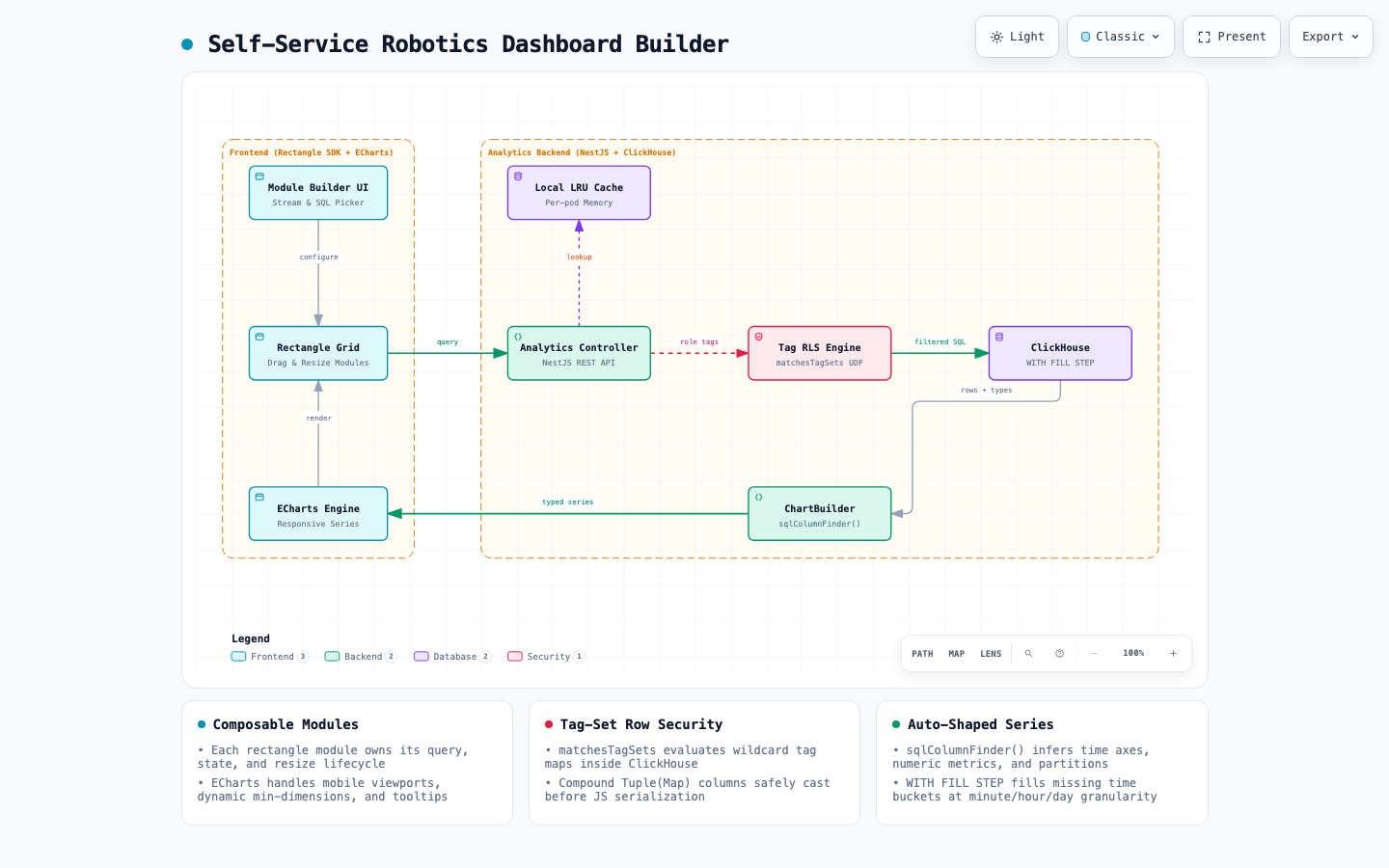
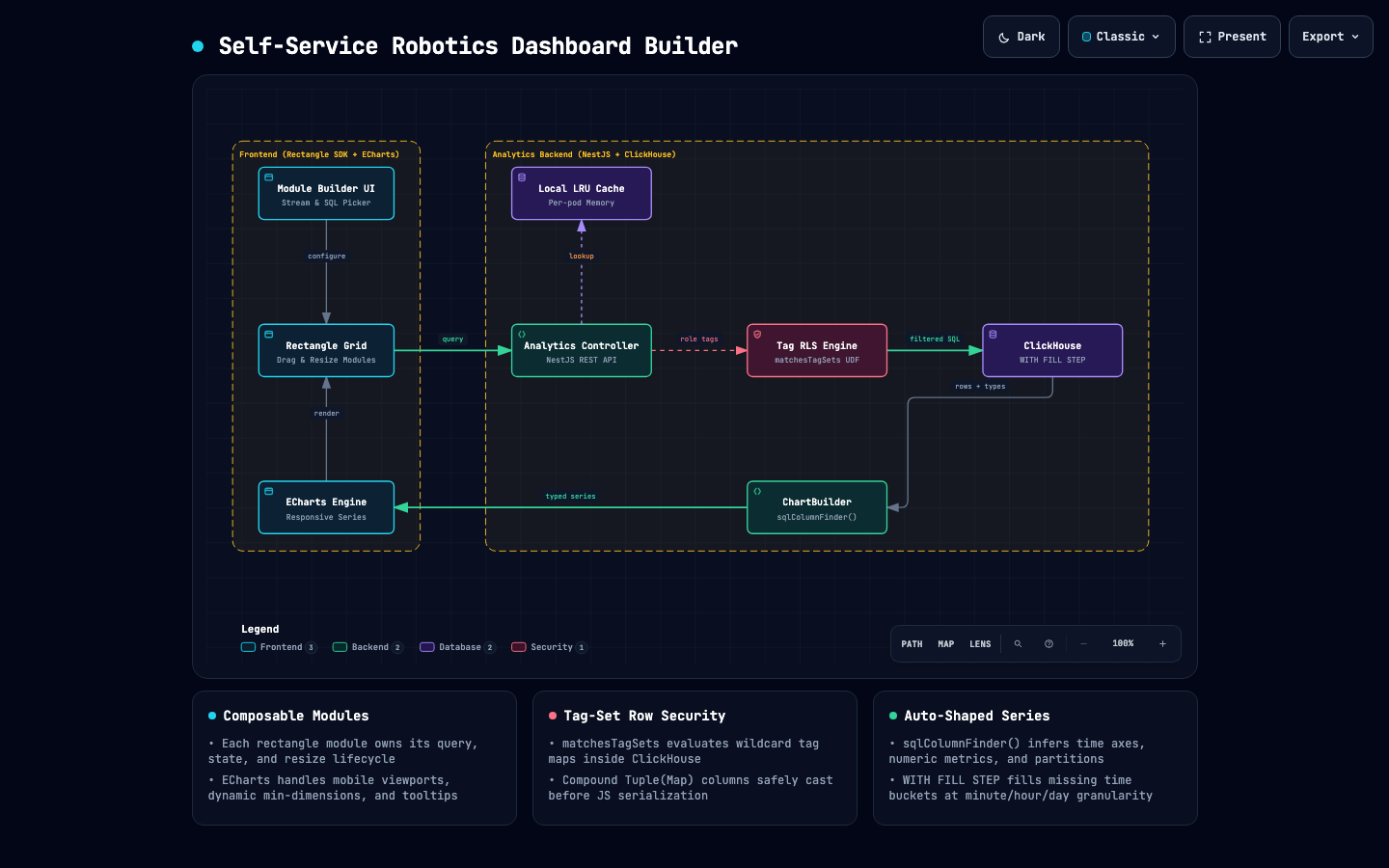
Here is how the pieces fit together in production:
1. Analytics as independent Rectangle modules #
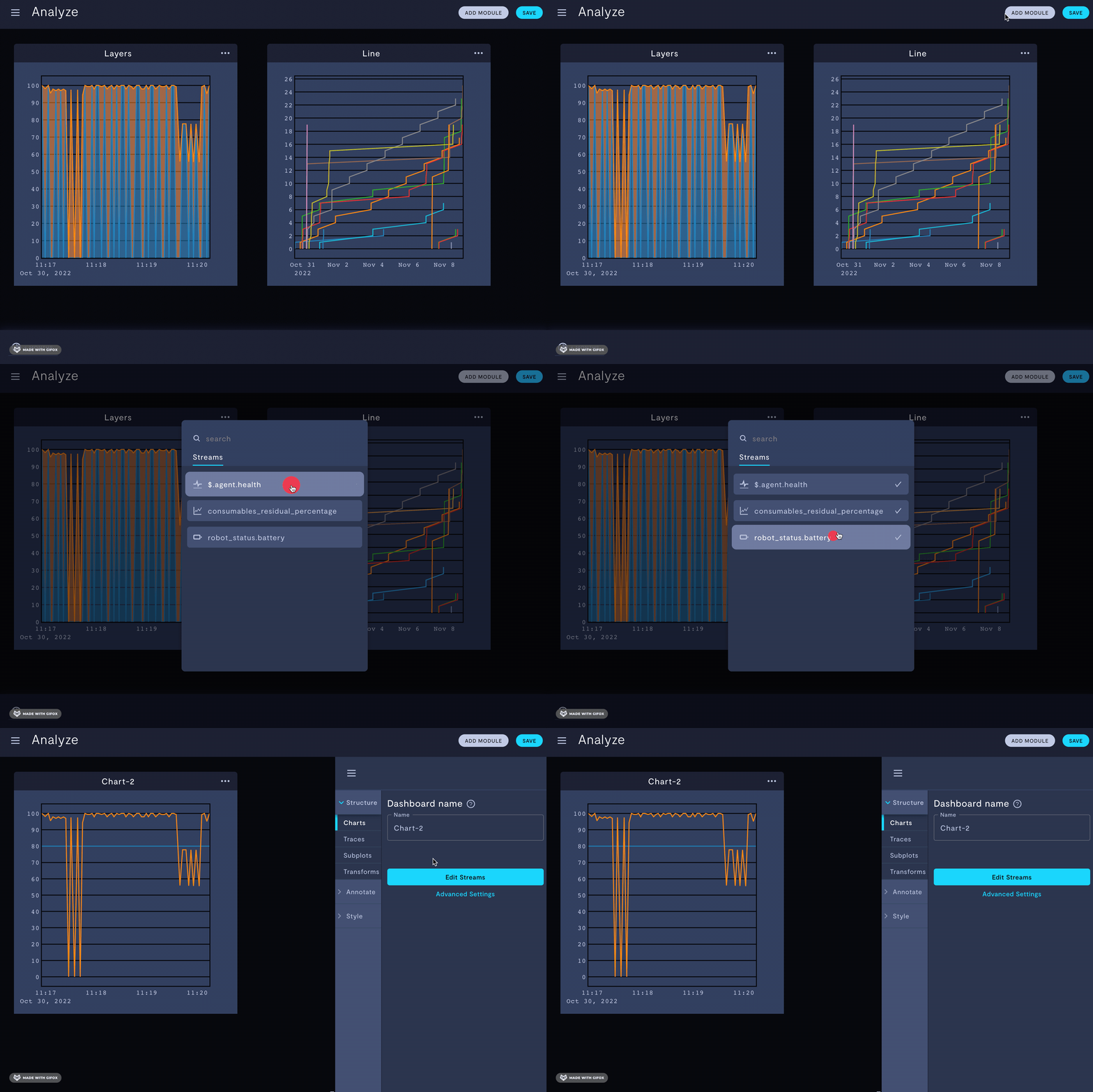
Instead of building a monolithic analytics page with fixed charts, I built analytics as composable Rectangle SDK modules (telemetry#9271, telemetry#9281, telemetry#9698).
Every chart on a dashboard is an independent module instance with its own database entity, Redux/Zustand store slice, stream or SQL configuration, and query lifecycle. Users can drag, reorder, and resize any combination of line, bar, pie, and summary modules onto a view:
When a dashboard loads, each module fires its own scoped query and renders independently, so a slow 90-day scan on one chart never blocks a 1-hour battery health widget next to it.
2. Porting the charting engine to ECharts #
Our original charting library struggled when users resized grid modules or opened dashboards on mobile — axes clipped, resize events jittered, and tooltips floated off to the side of the viewport.
I replaced the entire analytics rendering layer with Apache ECharts (telemetry#11772), adding ResizeObserver-driven layout updates, dynamic minimum module dimensions so dense legends never crush the canvas, and contained tooltips that stay anchored inside small grid tiles:
3. sqlColumnFinder() and ChartBuilder: turning arbitrary SQL into ECharts series #
A self-service builder has to handle two modes: a guided stream picker (where the user chooses telemetry streams, an aggregation like AVG or SUM, and a time bucket) and a raw SQL editor (where the user writes arbitrary ClickHouse SQL).
In raw SQL mode, we don’t know ahead of time what columns the user’s query will return. To make charts render without forcing users to manually map every axis, I built two abstractions:
sqlColumnFinder(columns)(telemetry#14847): a fluent API that inspects the column metadata returned by ClickHouse and selects the bestxAxis,yAxis, and pivot dimensions using prioritized rules:
const xAxis = sqlColumnFinder(columns)
  .byType("timestamp")                                 // Prefer timestamp columns first
  .byNames(["time", "date", "bucket"], ["string"])     // Fallback to known time column names
  .byNamesNot(["label", "key", "unit"], ["string"])    // Exclude metadata strings
  .first();
If a user builds a SQL pie chart over a query that has no string columns to group by, the builder automatically falls back to partitioning by time series (telemetry#15026) so the chart still renders something meaningful instead of throwing an error.
ChartBuilder(telemetry#11145): takes the raw ClickHouse rows, column metadata, and inferred axes, fills time-series buckets (minute,hour,day,week), and emits ECharts-ready series arrays:
const series = new ChartBuilder(
  {
    start: query.start,
    end: query.end,
    aggregateLevel: "day",
    fillGaps: true,
  },
  columns,
  rows
)
  .setConfig({
    xAxis: { dataType: "timestamp", name: "time" },
    yAxis: ["Percentage", "Charge", "Voltage"],
    partitionBy: ["STREAM_NAME", "DEVICE_ID"],
  })
  .toSeries();
4. Gap-filled time series and row-level security in ClickHouse #
Behind the scenes, every module query runs against ClickHouse. Two details made the backend fast and safe for multi-tenant robotics fleets:
- Native gap filling (
WITH FILL STEP). Robots go offline in tunnels, elevators, and charging docks. If you plot rawGROUP BYbuckets, missing hours collapse and distort the timeline. Using ClickHouse’sORDER BY time WITH FILL FROM ... TO ... STEP ...let the database emit zero-filled or interpolated buckets at the exact granularity the chart requested. - Tag-set row-level security (
matchesTagSets). Every robot and telemetry stream carries a map of tags (Map(String, String)), and every user role has a permitted set of tag filters (including wildcards likesite:austin,fleet:*, or*:*). Before any self-service query touches ClickHouse, the backend injects ourmatchesTagSets(tags, ':TagSets')SQL UDF so row-level permissions are enforced inside ClickHouse’s vectorized scan — even when the user writes custom SQL.